
What Are Virtualization Vulnerabilities?
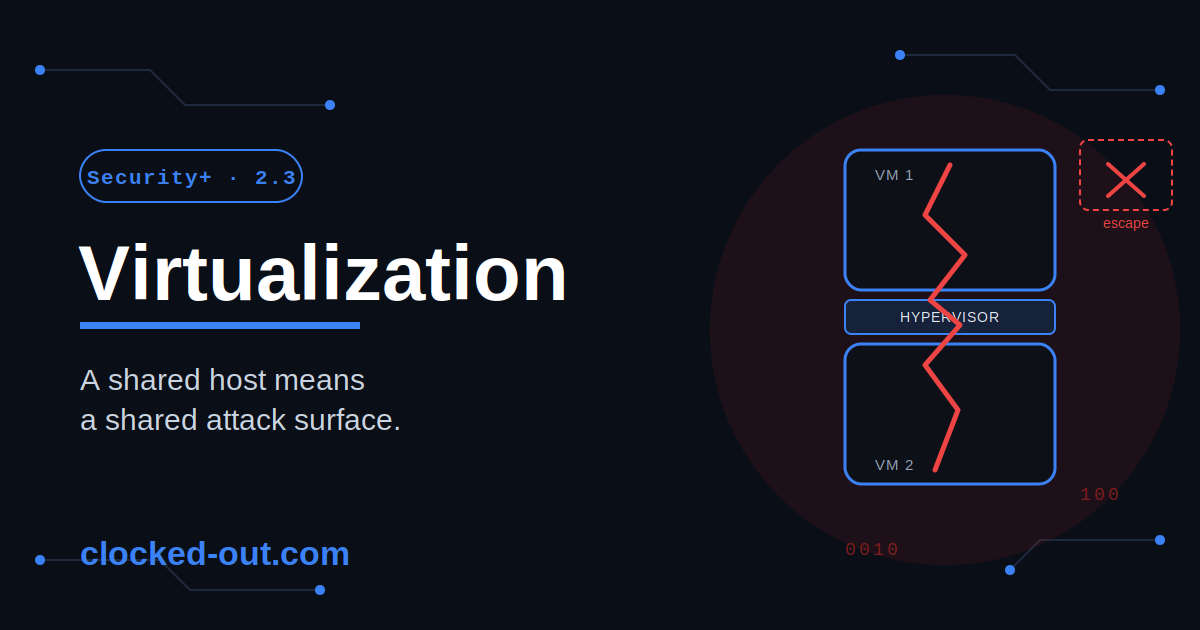
Virtualization vulnerabilities are security weaknesses that exist specifically because multiple virtual machines (VMs) share one physical host. A single hypervisor manages the CPU, memory, storage, and network access that every guest VM on that host depends on – and that shared foundation is exactly what an attacker targets.
CompTIA groups this objective around two named risks: VM escape and resource reuse. They’re often lumped together as “VM security stuff,” but they work in completely different ways – and the exam expects you to tell them apart.
The Building Blocks: Hypervisor, VM Escape, Resource Reuse
- Hypervisor – the software layer that creates and manages VMs, allocating physical hardware to each guest. Everything below depends on this layer staying trustworthy.
- VM escape – an attacker breaks out of a guest VM and reaches the hypervisor or another VM on the same host, crossing a boundary that’s supposed to be absolute.
- Resource reuse – a guest VM reads leftover data (memory, storage, or cache) from a resource the hypervisor previously assigned to a different VM, because it wasn’t securely wiped before reallocation.
The key distinction: escape is about breaking a boundary. Resource reuse is about data that was never properly cleaned up – no boundary-breaking required.
How a Virtualization Vulnerability Gets Exploited
- Shared foundation – dozens (or thousands) of VMs run on one physical host, all trusting the same hypervisor to keep them isolated from each other.
- A weakness is found – in the hypervisor’s code, a device driver it emulates, or its resource-cleanup routine.
- Isolation fails or data leaks – either the attacker escapes the guest boundary (VM escape), or a new VM inherits improperly cleared data from an old one (resource reuse).
- Lateral reach – once outside a single VM’s boundary, the attacker can potentially touch every other VM on that host.
- Patch and rebuild trust – the hypervisor vendor ships a fix; until it’s applied, every host running that hypervisor version carries the same exposure.
VM Escape vs. Resource Reuse vs. Hyperjacking
A third term – hyperjacking – gets confused with VM escape constantly. It’s not officially named on the SY0-701 objectives, but it shows up in scenario questions, so it’s worth separating from the two terms that are:
| Trait | VM Escape | Resource Reuse | Hyperjacking |
|---|---|---|---|
| What’s being attacked | The isolation boundary between guest and host | Shared physical resources (memory, storage, cache) | The hypervisor itself |
| How it happens | A flaw in hypervisor code or emulated hardware is exploited from inside a guest VM | A resource isn’t securely wiped before being reassigned to another VM | Attacker installs a rogue hypervisor beneath (or replaces) the legitimate one |
| What the attacker gets | Code execution on the host or access to sibling VMs | Leftover data – credentials, keys, fragments of another tenant’s data | Silent, total control of every VM on the host, invisible to the guest OS |
| Primary defense | Prompt hypervisor patching, minimal device emulation, strong isolation | Secure erase/zeroing of memory and storage on deallocation | Hardware root of trust, measured/secure boot, hypervisor integrity monitoring |
Bottom line: if the story is “broke out of a VM,” that’s escape. If it’s “read data that shouldn’t have still been there,” that’s resource reuse. If it’s “the hypervisor itself isn’t the one you think it is,” that’s hyperjacking.
Real-World Examples
- Cloudburst (2009) – Researcher Kostya Kortchinsky demonstrated a VM escape against VMware Workstation, exploiting the virtual video driver to break out of a guest and execute code on the host.
- VENOM (2015, CVE-2015-3456) – A buffer overflow in the virtual floppy disk controller used by QEMU-based hypervisors (Xen, KVM, VirtualBox) allowed an attacker to escape a guest VM and potentially access every other VM on the host – a flaw that had existed, unnoticed, for over a decade.
- Pwn2Own 2017 – A researcher team chained a browser exploit with a guest-to-host escape to break out of VMware Workstation entirely, one of the most cited “full-chain” VM escape demonstrations used in Security+ material.
Indicators and Detection
- Unexpected hypervisor-level processes or connections – activity on the host that shouldn’t be reachable from a guest.
- Anomalous resource access patterns – a VM reading memory or storage ranges it was never assigned.
- Integrity monitoring failures – hash or measurement mismatches on the hypervisor itself (a hyperjacking indicator).
- Guest OS behavior that doesn’t match host-level telemetry – a sign the guest may no longer be the only thing running on that hardware.
- Uncontrolled VM count (VM sprawl) – not an exploit on its own, but it expands the attack surface and makes the indicators above much harder to spot.
How to Defend Against Virtualization Vulnerabilities
- Patch the hypervisor promptly – most VM escape vulnerabilities (VENOM included) are closed by a hypervisor-level patch; delaying it leaves every guest on that host exposed.
- Secure resource deallocation – configure the hypervisor to zero out memory and storage before reassigning it, closing the resource reuse gap directly.
- Minimize emulated hardware – fewer virtual devices exposed to the guest means a smaller attack surface for escape exploits.
- Hardware root of trust / measured boot – verifies the hypervisor that’s running is the one that’s supposed to be running, the direct defense against hyperjacking.
- VM sprawl control – track, tag, and retire VMs on a schedule so “forgotten” unpatched guests don’t sit on the host indefinitely.
- Separation of duties – no single administrator should hold unchecked access to the hypervisor layer for every VM on it.
Frequently Asked Questions
What is VM escape in Security+ terms? VM escape is when an attacker breaks out of a guest virtual machine and reaches the underlying hypervisor or another VM on the same host, crossing an isolation boundary that’s supposed to be absolute.
What is resource reuse and why is it a virtualization vulnerability? Resource reuse happens when a hypervisor reassigns memory, storage, or cache to a new VM without securely wiping it first, letting the new VM read data left behind by the previous tenant.
What’s the difference between VM escape and hyperjacking? VM escape starts inside a guest VM and breaks out. Hyperjacking starts at the hypervisor itself – an attacker installs or replaces it – giving silent control over every VM on the host without ever needing to escape one.
Can virtualization vulnerabilities affect the cloud? Yes – cloud infrastructure runs on the same hypervisor model, often with many customers’ VMs sharing one physical host, which is exactly why VM escape and resource reuse matter for multi-tenant cloud security.
How do you defend against virtualization vulnerabilities? Patch the hypervisor quickly, configure secure resource wiping on deallocation, minimize emulated devices, and use hardware-based integrity checks to confirm the hypervisor hasn’t been tampered with.
Key Takeaway
Virtualization vulnerabilities exist because isolation is a promise, not a physical wall – every VM on a host is trusting the same hypervisor and the same shared hardware. VM escape breaks that promise by crossing the guest-host boundary; resource reuse breaks it quietly, through data that was never properly cleaned up. Tell them apart, patch the hypervisor fast, and wipe resources on deallocation – that’s most of the objective in three moves.
Security+ Exam Focus
- Exam: CompTIA Security+ (SY0-701)
- Domain: 2.0 – Threats, Vulnerabilities, and Mitigations
- Objective: 2.3 – Explain various types of vulnerabilities (Virtualization: VM escape, Resource reuse)
- What they test: Recognizing VM escape vs. resource reuse from a scenario, and picking the defense that matches the mechanism (patching/isolation for escape, secure wipe for resource reuse).
Related Notes
- What Is a Zero-Day Vulnerability? – another vulnerability category defined by when it’s known, not where it lives
- What Are Cloud-Specific Vulnerabilities? – the multi-tenant risks that build on this same shared-hypervisor model
- What Is a Misconfiguration Vulnerability? – weak hypervisor/host settings that make escape and reuse easier to exploit
- What Is Legacy / End-of-Life Software? – unpatched hypervisors carry the same permanent exposure
Additional Resources
For the full Security+ note set, visit our main Sec+ page. For walkthroughs, see our YouTube channel.